Product
How Spurly keeps your LinkedIn account safe
Last updated
Spurly is designed to stay within LinkedIn's limits, and it paces its sends like a person would. But LinkedIn's User Agreement restricts automation, and no tool can promise an account will never be restricted. This page explains what Spurly does to lower the risk and what it cannot remove.
The honest risk statement
LinkedIn does not allow automation of the kind Spurly performs, and it can restrict or close an account at its own discretion. Spurly does not claim to be undetectable or 100% safe, and you should not trust any tool that does. What Spurly can do is keep your activity modest, regular and human-shaped. That is what the rest of this page describes.
A backstop on connection requests and messages
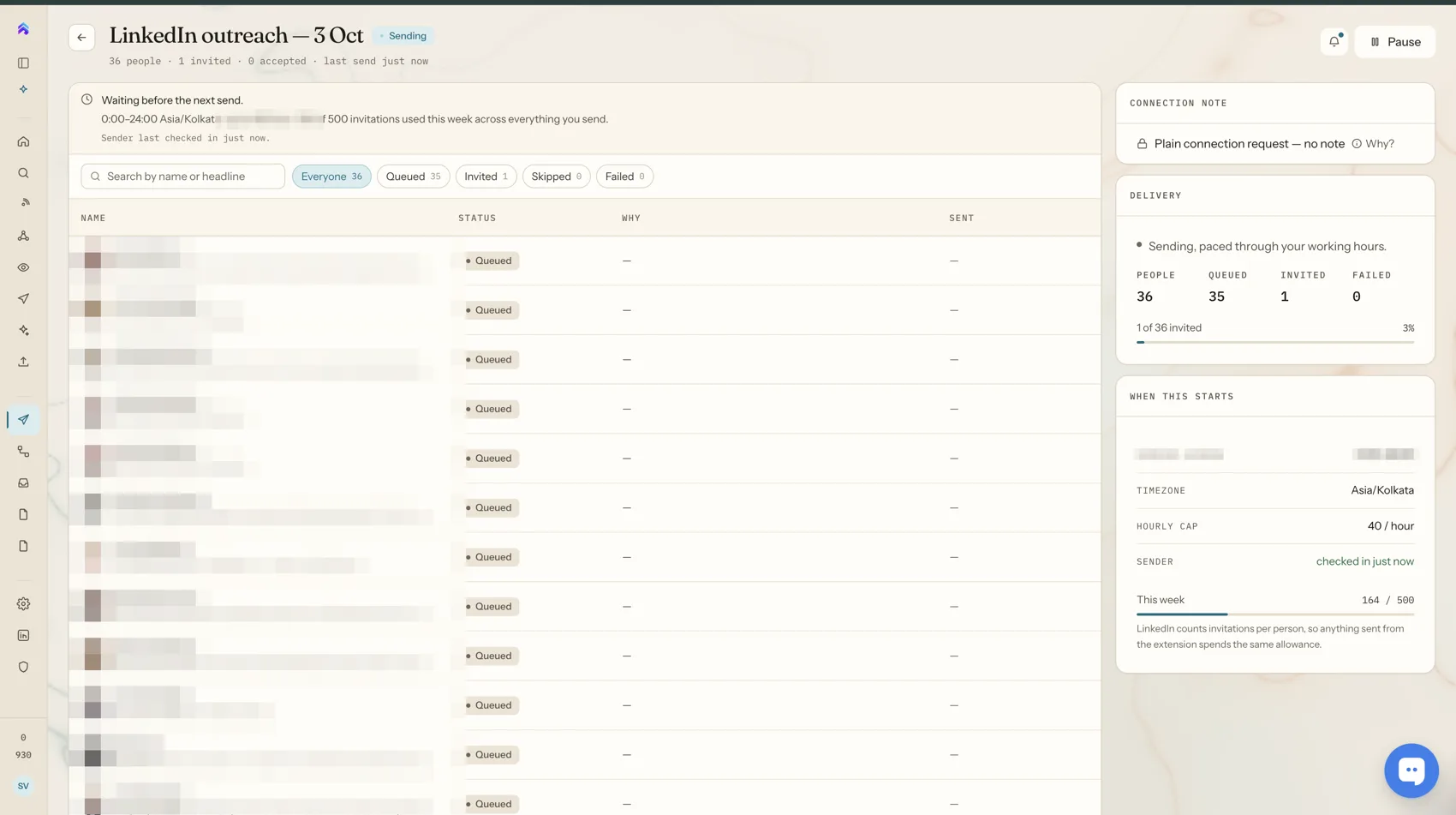
Spurly does not hand you an allowance to count down. Sends are spread out on their own, and behind that sits a quiet safety backstop for connection requests and messages only. These are the current numbers, which Spurly may tighten at any time:
| Backstop | Current value |
|---|---|
| Connection requests | 80 a day, 200 a week |
| Messages | 100 a day, 500 a week |
200 a week is LinkedIn's own weekly invitation limit, so Spurly never goes past it. Connection requests also count against that weekly total across Spurly and the Chrome extension together. If a backstop is reached, sending simply waits and carries on as the day or week rolls over. Other actions, such as follows and likes, are spaced out the same way but have no fixed count. Start with a small audience: the backstop is a ceiling, not a target.
Random gaps between actions
Automated actions are spread out rather than sent in bursts. Between actions Spurly leaves a gap that varies from one send to the next instead of a fixed interval, so activity does not look like a timer. Each day's volume also differs, and weekends are as active as weekdays. Overnight, by default from 11pm to 6am, sends spread out about four times further apart rather than stopping, and you can switch that off or change the hours. A person clicking a button themselves is not paced like this, since that is you, not automation.
It stops when someone replies
If a person replies, the sequence stops for them. Spurly does not send scripted follow-ups into a live conversation.
It never repeats a send
Spurly records a send before it moves on. If an action may already have gone through, it is never retried, and Spurly skips anyone you have already invited, from Spurly or the Chrome extension.
Problems pause the campaign
If LinkedIn disconnects your account, or several actions fail in a row, the campaign pauses instead of working through your audience. You can see why, fix it and restart. If LinkedIn pushes back with a rate-limit error, Spurly backs off for a while before trying again, in campaigns and sequences alike.
Optional clean-up of old invitations
You can withdraw sent invitations that were never accepted. Automatic withdrawal rules are optional and off by default.
What Spurly cannot do
Spurly cannot control how LinkedIn decides to treat an account. A new or rarely used account, a sudden jump in activity, or LinkedIn changing its own rules can all lead to restrictions regardless of the tool. If you are cautious, start with a small audience and build up.
Frequently asked questions
Is LinkedIn automation safe?
No tool can promise that. LinkedIn's User Agreement restricts automation, and LinkedIn can restrict an account at its discretion. Spurly is designed to stay within the limits LinkedIn applies to normal use, and it paces its sends to look like a person, but the risk is never zero.
Will Spurly get my account banned?
Spurly cannot promise that it will not. It spaces sends out with random gaps that follow no fixed pattern, slows down overnight, stays under LinkedIn's own weekly invitation limit and stops when someone replies, which lowers the risk without removing it.
Can I change how Spurly spaces my sends?
You can turn the overnight slowdown on or off and choose its hours under Settings, Sending hours. The spacing itself and the safety backstop are set by Spurly and adjusted as LinkedIn's behaviour changes.
What if LinkedIn disconnects my account?
Campaigns pause instead of continuing with a broken connection, and you reconnect your account to carry on.
Try it yourself
Spurly runs your LinkedIn outreach for you — find the right people, connect, follow up and reply from one inbox. 7-day free trial, then $24.99/month.
Start 7-day free trialAdd a card (or UPI in India) to start your 7-day free trial. You won't be charged until day 8. Cancel anytime before then and you pay nothing.