Product
Find the right people on LinkedIn without the copy-paste
Last updated
Spurly's lead finder builds LinkedIn audiences from searches, companies, posts and the people who already look at your profile. You end up with a list of the right people in Spurly, ready for a campaign, instead of a spreadsheet you assembled by hand.
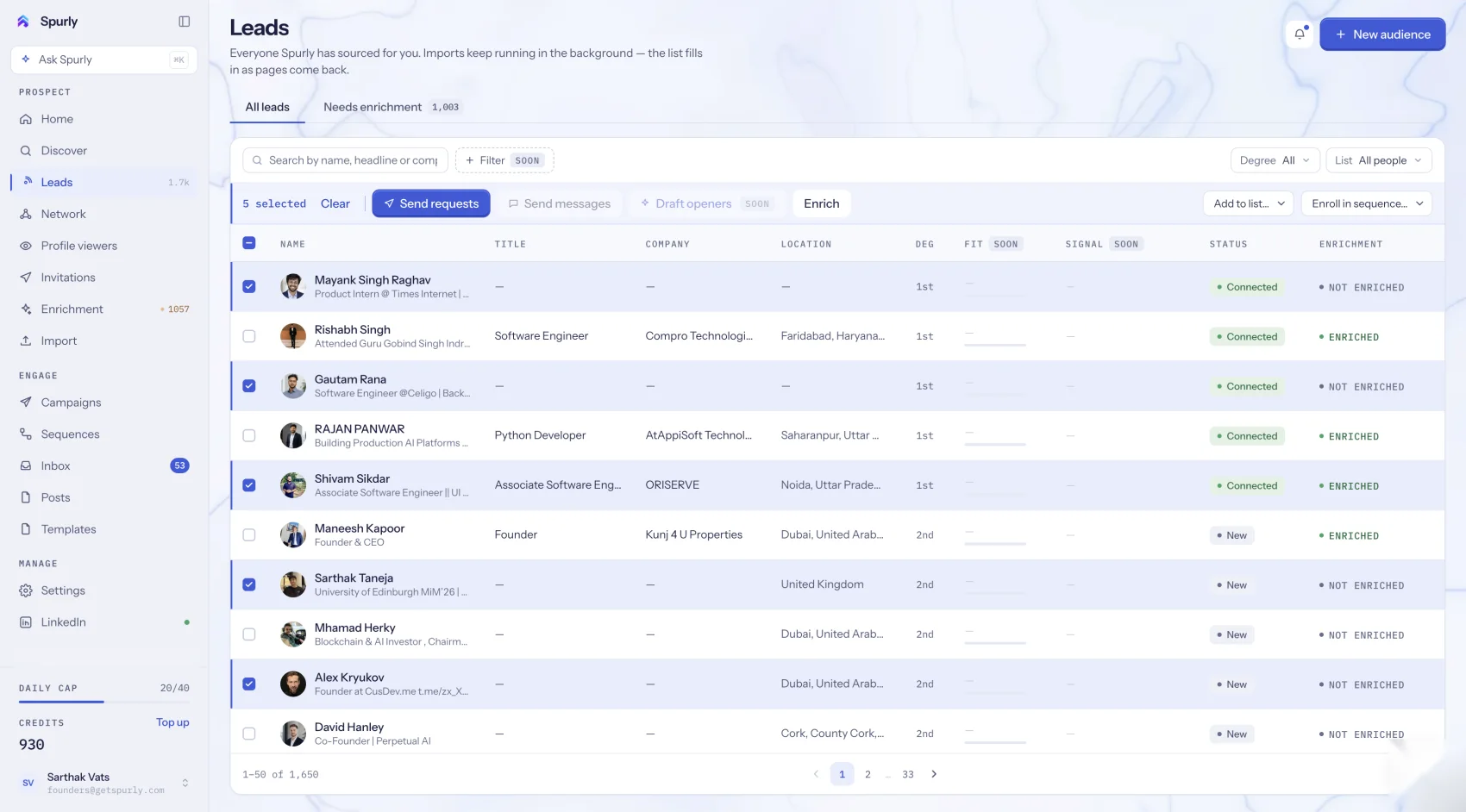
Audience builder: filtered LinkedIn people search
Search LinkedIn people by the filters you would use on LinkedIn itself, then import the results into Spurly. This uses standard LinkedIn search, so you do not need Sales Navigator.
Discover: start from companies, posts or jobs
- Companies: search for companies, then pull in the people who work there.
- Posts: search for posts on a topic and import their authors. People who write about your topic are people who care about it.
- Jobs: use job searches as a hiring signal, since a company that is hiring is a company with a need.
Paste any LinkedIn URL
Have one profile in mind? Paste its LinkedIn URL and Spurly imports it as a lead.
Reach people who already noticed you
- Profile viewers become leads. Free LinkedIn accounts see a limited number of viewers, which is LinkedIn's limit, not Spurly's.
- Followers of you or of your company page can be an audience.
- Your network is synced, so every first-degree connection is in Spurly as well.
Bring your own list
Import a CSV and map its columns to Spurly fields, or use the Chrome extension to capture profiles while you browse LinkedIn and Sales Navigator pages.
How to build your first audience
- Connect your LinkedIn account.
- Choose a source: a filtered search, a company, a topic, a URL or a CSV.
- Review the people Spurly found and keep the ones you want.
- Start a campaign with them.
Frequently asked questions
Do I need Sales Navigator?
No. The audience builder uses standard LinkedIn people search with filters. Sales Navigator search is not part of it.
Can I import people I already have?
Yes. You can paste any LinkedIn URL to import that profile, upload a CSV with column mapping, or capture profiles with the Chrome extension.
Can I see who viewed my profile?
Yes, and you can turn viewers into leads. LinkedIn limits how many viewers a free account can see, and that limit applies in Spurly too.
Where does Spurly find email addresses and phone numbers?
Email and phone enrichment is included with the plan.
Try it yourself
Spurly runs your LinkedIn outreach for you — find the right people, connect, follow up and reply from one inbox. 7-day free trial, then $24.99/month.
Start 7-day free trialAdd a card (or UPI in India) to start your 7-day free trial. You won't be charged until day 8. Cancel anytime before then and you pay nothing.