Product
Run LinkedIn campaigns that follow up for you
Last updated
Spurly campaigns send LinkedIn connection requests and follow-ups for you, from the cloud, at a safe daily pace. You choose the people and write the messages. Spurly handles the timing, notices when someone accepts, and stops when someone replies, even with your laptop closed.
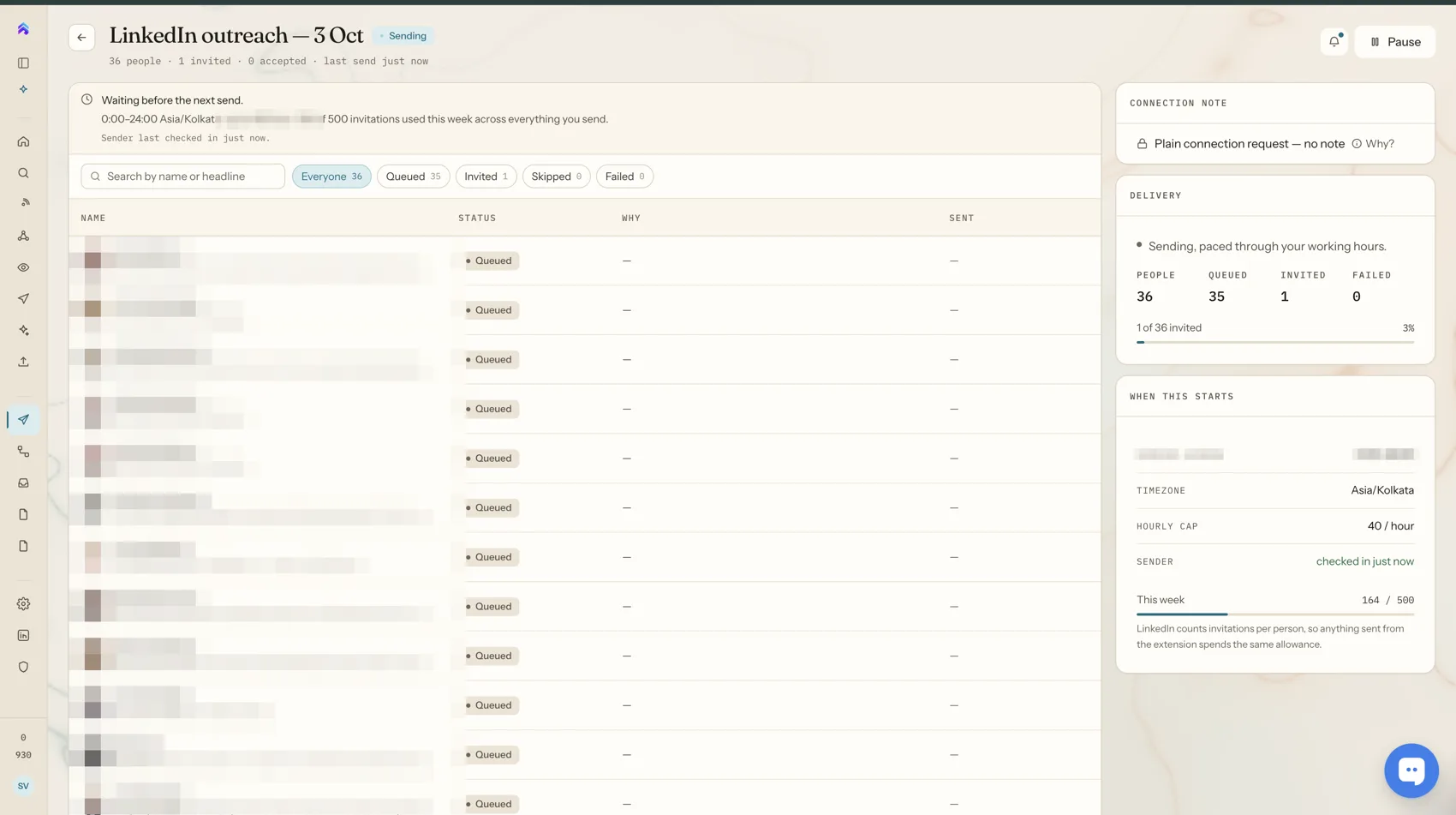
What a campaign does
Pick an audience, write your connection note and start the campaign. Spurly sends one request at a time, spread out over the day with random gaps, instead of firing a burst that looks nothing like a person.
Each person is contacted once. Spurly skips anyone you have already invited, whether that invitation came from Spurly or from the Chrome extension. If LinkedIn disconnects your account, the campaign pauses rather than working through your list with a dead connection.
Multi-step sequences
A sequence is a short, ordered list of steps that runs for each person. You can combine these steps:
- Visit their profile
- Send a connection request
- Send a message
- Follow them
- Like one of their posts
- Comment on one of their posts
- Endorse a skill (only possible for people you are already connected to; Spurly skips the step for everyone else)
- Wait, for a fixed number of days or until they accept
A typical sequence: send a connection request, wait until they accept, send a short message, wait three days, then send one follow-up. Steps always run in the order you set. There is no branching canvas to maintain.
It stops when someone replies
Before each step, Spurly checks the conversation. If the person's message is the latest one in the thread, the sequence stops for that person instead of sending the next scripted message. Replies go to your unified inbox, where you answer them yourself.
Acceptance is detected automatically
Spurly checks your connections automatically and marks people as connected when they accept. That is what lets a "wait until they accept" step move on without you checking. You also get a notification when a connection request is accepted.
How to launch your first campaign
- Connect your LinkedIn account. You sign in once through a secure connection.
- Build an audience. Search LinkedIn, find people at target companies, paste a LinkedIn URL or import a CSV. See the lead finder.
- Write your message. Use a template with variables such as first name, with a live preview before anything sends.
- Start the campaign. Follow progress on the campaign page. Pause it whenever you like.
Built to stay within LinkedIn's limits
Connection requests pass through daily and hourly caps and pacing rules before they are sent, and the details are on the safety page. The honest version: LinkedIn's User Agreement restricts automation, and no tool can promise an account will never be restricted. Spurly is designed to keep your activity well inside the limits LinkedIn applies to normal use.
Frequently asked questions
Does it keep running when my laptop is closed?
Yes. Campaigns and sequences run from Spurly's servers, so they keep going when your laptop is closed or your browser is shut.
Do I need Sales Navigator?
No. Spurly works with a standard LinkedIn account. LinkedIn's own limits on invitations still apply to every account.
What happens when someone replies?
Spurly stops the sequence for that person instead of sending the next scripted message, so a real conversation is never interrupted by automation.
Will Spurly invite the same person twice?
No. Spurly skips anyone you have already invited, whether the invitation was sent from Spurly or from the Chrome extension.
Is LinkedIn automation safe?
Spurly is designed to stay within LinkedIn's limits, but no tool can guarantee LinkedIn will not restrict an account, and LinkedIn's User Agreement restricts automation. The safety page explains exactly how pacing works.
Try it yourself
Spurly runs your LinkedIn outreach for you — find the right people, connect, follow up and reply from one inbox. 7-day free trial, then $24.99/month.
Start 7-day free trialAdd a card (or UPI in India) to start your 7-day free trial. You won't be charged until day 8. Cancel anytime before then and you pay nothing.